Activities are how you track all the things you care about against an Entity. The Activity Log in an Entity Profile provides a full audit trail of Activities against an Entity. Activities include:
| Activity | Description |
|---|---|
| Forms and Workspaces | Any Form that is completed against an Entity, including those that are added to Workspaces. A Workspace associated containing multiple forms will have each of those Forms tracked as an Activity. |
| Automations | Any Automation that is run against an Entity. This includes simple Task Automations such as PEP and Sanctions Screening, Risk Rating Calculation, through to Complex Automations like a KYC onboarding journey. |
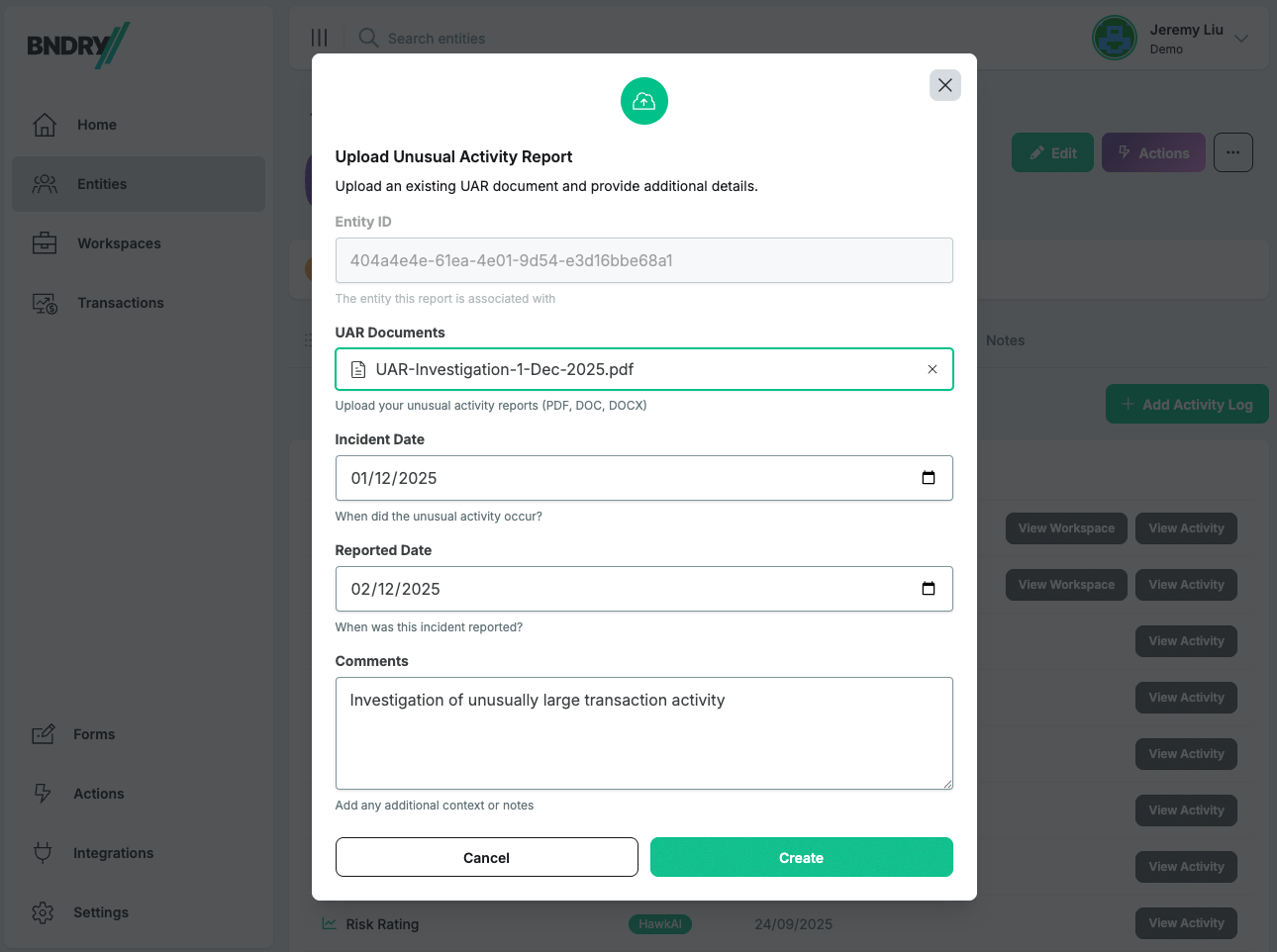
| UARs (Unusual Activity Reports) | Track any UAR Investigations performed against the Entity by logging a UAR Activity, specifying a date, and adding any documents and comments. |
| SMRs (Suspicious Matter Reports) | Track any SMRs submitted to the regulator against the Entity by logging an SMR Activity, specifying a date, and adding any documents and comments. |
| Custom Activities | Track anything you want by creating Custom Activities. Custom Activities can be reused across Entities, allowing you to add documents and comments, and specify a date when the Activity occured. |
The Activity Log is where you go to see a history of Activities against an Entity. Navigate to the Activity Log through the Entity Profile.
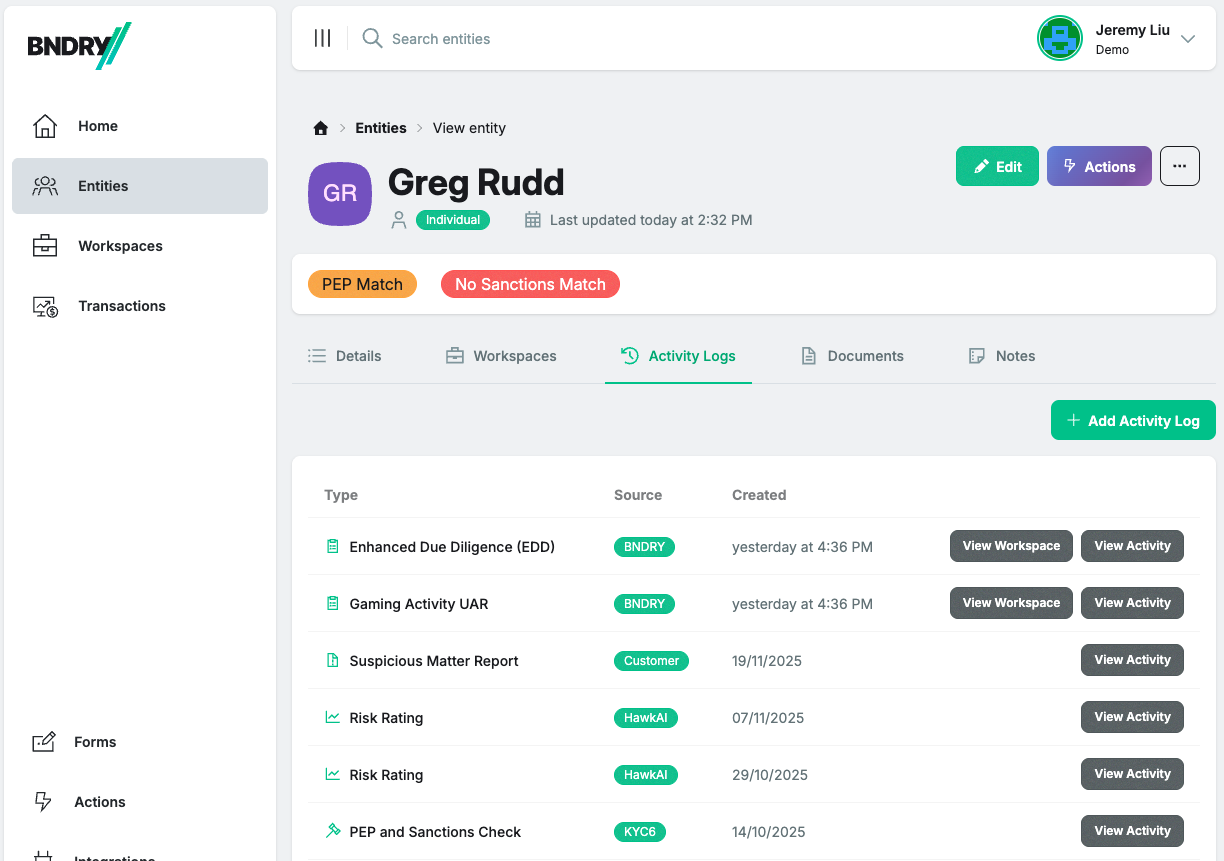
When clicking View Activity, you can see the details behind the Activity. For an Automation, viewing the Activity will allow you to see the results of the Automation. In the below example, the Activity Entry for a PEP and Sanctions Check reveals the findings of the PEP and Sanctions Check.

You likely have a repository of UAR (Unusual Activity Report) investigations and SMRs (Suspicious Matter Reports) that you've completed before using BNDRY. In BNDRY, you can consolidate all of this information against an Entity by logging backdated Activites.
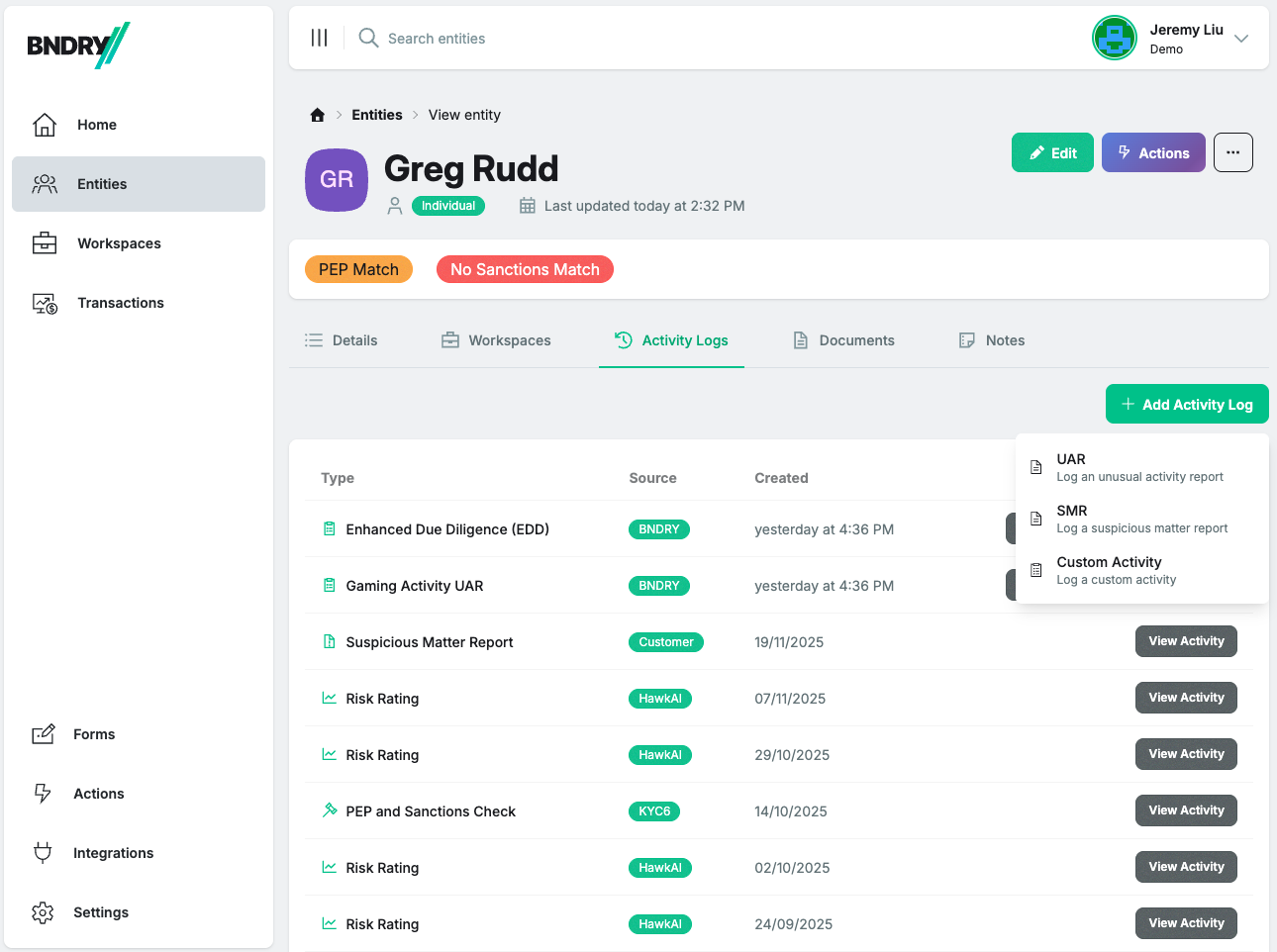
BNDRY has default models for logging historic UAR Investigations and SMRs. These allow you to log backdated UARs and SMRs and upload any documents and evidence of investigations and reports to bring your compliance history into one place.
First, select the Activity you'd like to log.
Then, upload any documents, insert any comments, and specify a date that the Activity occurred.
Activities can also be logged using our APIs.
You may choose to run some compliance processes outside of BNDRY, or have a variety of events that you'd like to track against an Entity. By consolidating these in BNDRY, not only do you bring all the intelligence into a single entity-centric view, but you can use it to drive automations through Policies and to assess an entity's risk using dynamic Entity Risk Rating.
You can bring these all into BNDRY using Custom Activities. Custom Activities give you the flexibility to reflect your unique vocabulary in BNDRY and track all the things you need commensurate with your risk and compliance program.
Custom Activities can be anything. Here are some examples:
- Periodic Reviews: documentation and evidence for monthly or quarterly reviews for high-risk customers
- Customer Visits: instances when a customer has visited your venue or premises
- Payouts: for gaming venues, track when payouts over $5,000 or $10,000 in winnings were made to customers
- Requests for Information: any customer communication where information was requested from the customer
- Complaints: any complaints or disputes raised by or against your customer
To add a Custom Activity, select Custom Activity from the Add Activity Log menu, and then specify a name for the Activity Type, upload any documents and insert any comments, and specify a date that the Activity occurred.
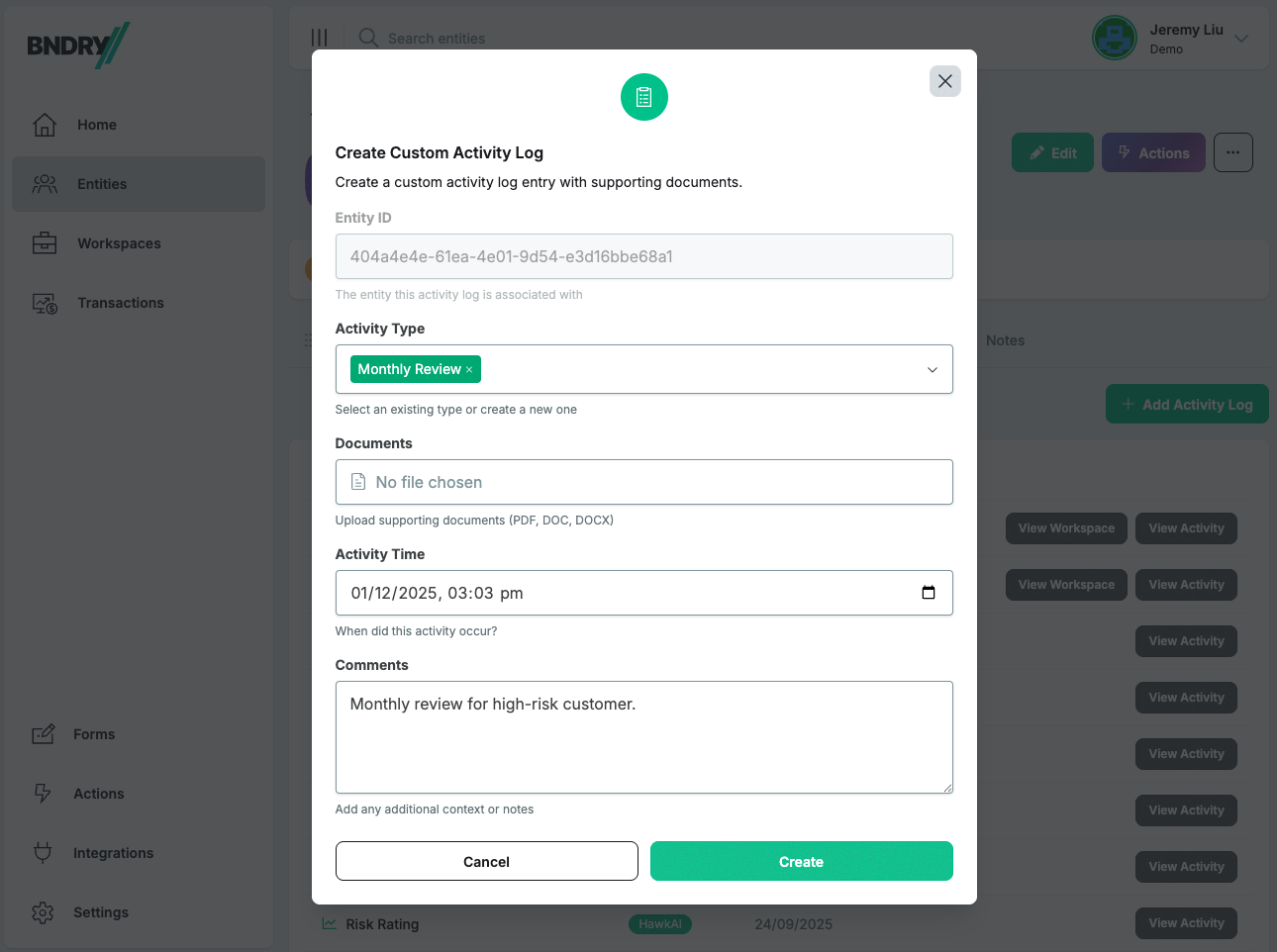
Once a Custom Activity Type is created, it can be reused across all your entities.
To add Activity Logs programatically, you can integrate your systems through BNDRY APIs to automatically post Activities to a BNDRY Entity whenever they occur.