BNDRY Automations allow you to run simple tasks and orchestrate complex workflows between different systems. Automations in BNDRY range from simple Task Automations through to Complex Automations that are configurable for different use cases.
Task Automations
Leverage our library of third-party connectors, and allow you to run and track key compliance tasks such as AML screening checks, identity verification, and risk rating calculations.
Complex Automations
Run end-to-end risk and compliance flows. Complex are configured as a sequence of activities that automate and orchestrate repeatable processes.
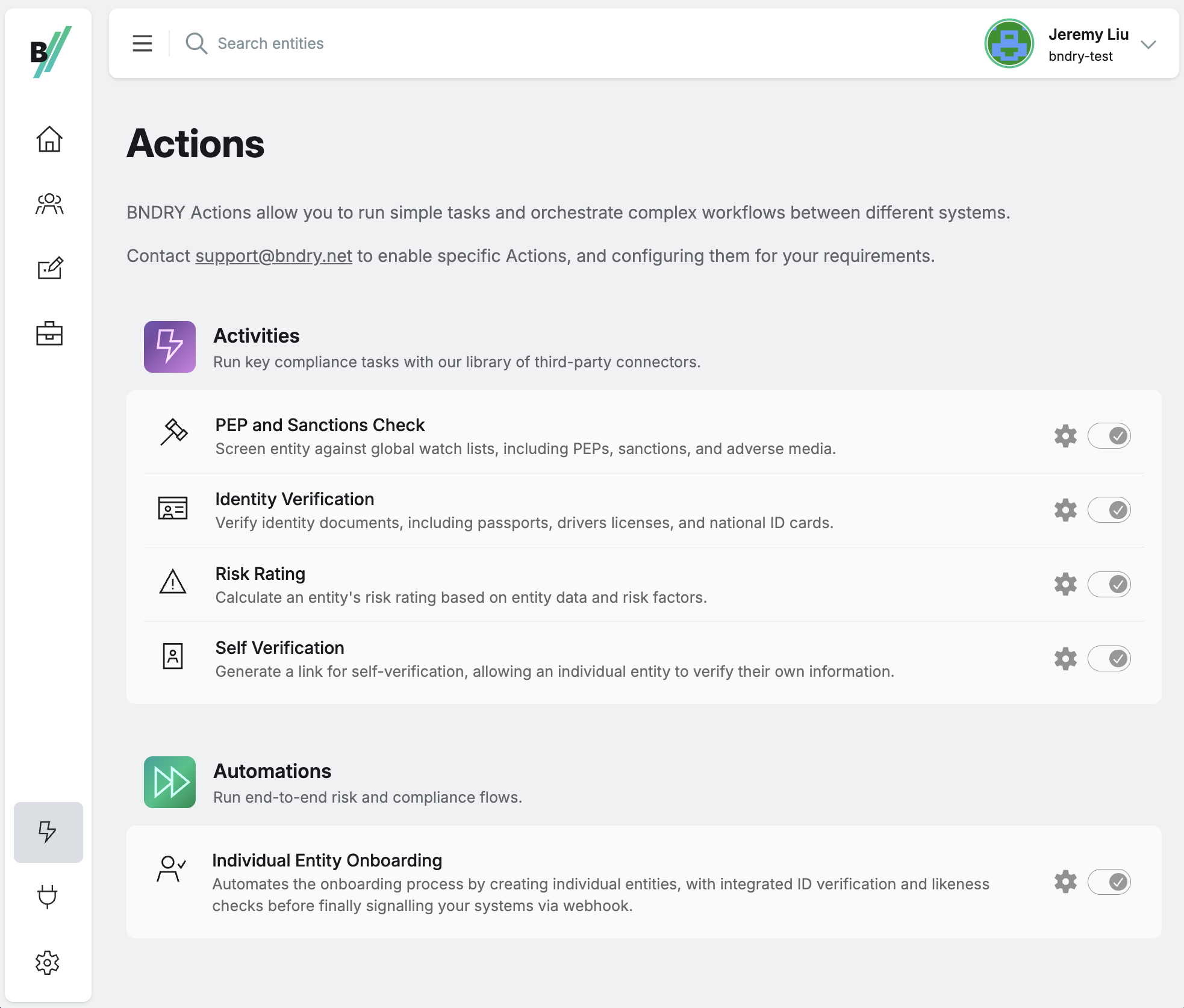
Task Automations allow you to run key compliance tasks. Task Automations often leverage third-party integrations that BNDRY has connections with. Task Automations in BNDRY include:
| Automation | Description |
|---|---|
| PEP and Sanctions Screening | Screen entity against global watchlists for PEP, Sanctions, Adverse Media, and Regulatory Enforcement. |
| Identity Verification | Verify identity documents, including passports, drivers licenses, and national ID cards |
| Calculate Risk Rating | Calculate an entity's risk rating based on entity data and risk factors |
| Self-Verification | Generate a link to enable a user to self-verify, including document scanning, and biometric and liveness verification. |
Complex Automations allow you to run end-to-end risk and compliance workflows. Automations chain together processes to create workflows that allow you to put repeatable risk and compliance processes on auto-pilot. We're continually adding to our library of Automations. Get in touch with our team if you'd like to configure your own Automation. Available Complex Automations include:
| Automation | Description |
|---|---|
| Individual Entity Onboarding | Automates the onboarding process by providing a customer sign-up form with embedded ID verification, creating an entity profile, running AML checks, and finally signalling your systems of the results via webhook. |
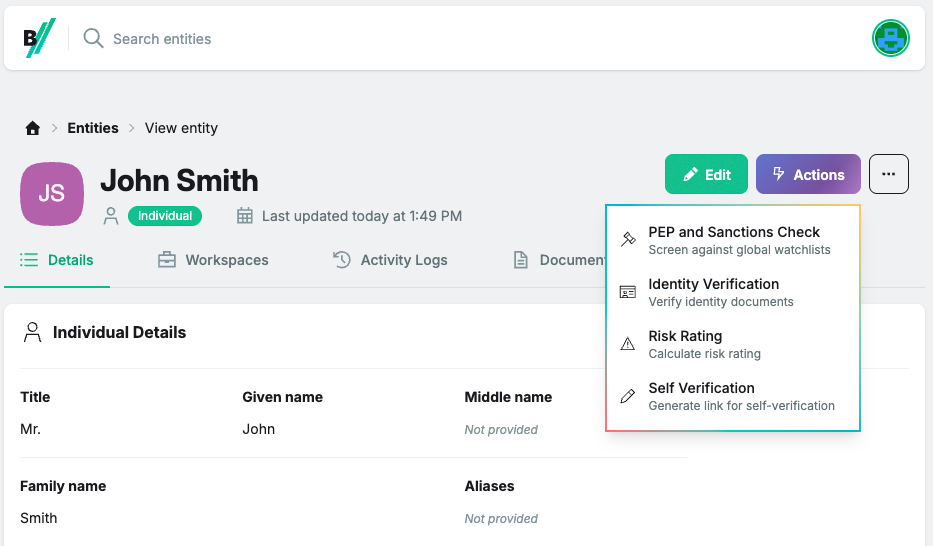
Most Automations in BNDRY can be invoked in three different ways:
| Invoke Trigger | Description |
|---|---|
| User | Users can manually trigger Automations through the Actions menu in the UI |
| API | Automations can be triggered programmatically through the API |
| Policy | Policies can be configured to automatically trigger Automations when specified conditions are met. |