Workspaces are where you go to complete compliance processes in BNDRY. Workspaces are like an envelope for a compliance process, create a secure environment to collaborate between internal and external users. You can create Workspaces that consist of one or more forms, inviting users to add, edit, and review data.
Use Workspaces to complete processes such as investigations and unusual activity reports, periodic reviews, enhanced customer due diligence, and more. You can also use Workspaces to request information from customers by inviting them to the Workspace and providing temporary access via a BNDRY external portal.
You can track the status of a Workspace, and a Workspace can be closed when the process is complete. A record of the Workspace will be maintained against associated Entities as an Activity.
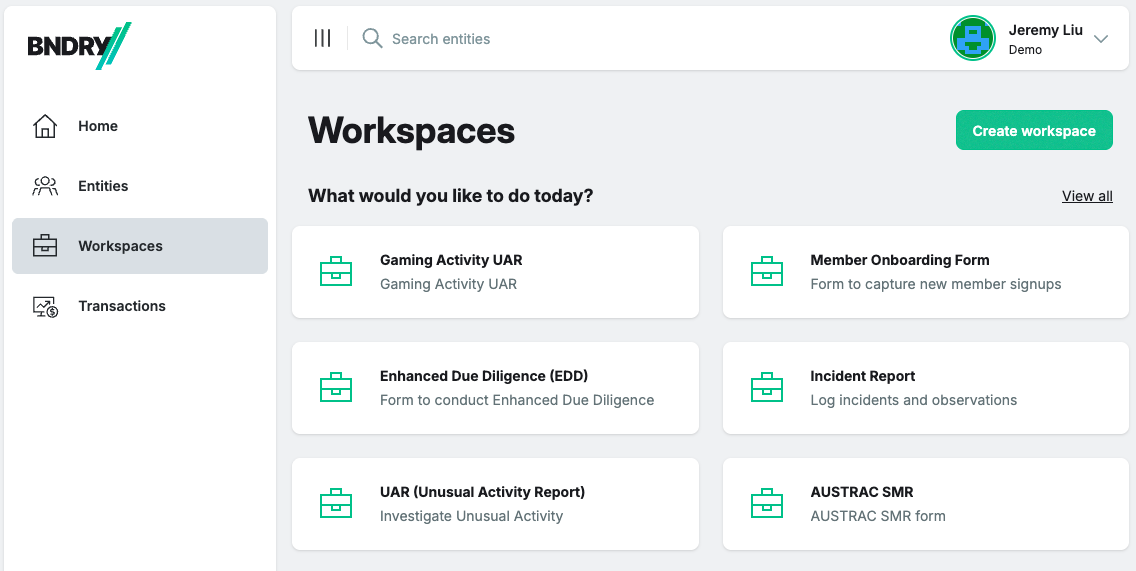
Creating a Workspace is simple. You can start by selecting which process you want to run from the Workspaces screen. The available Workspaces are based on the Forms configured in your BNDRY tenant.
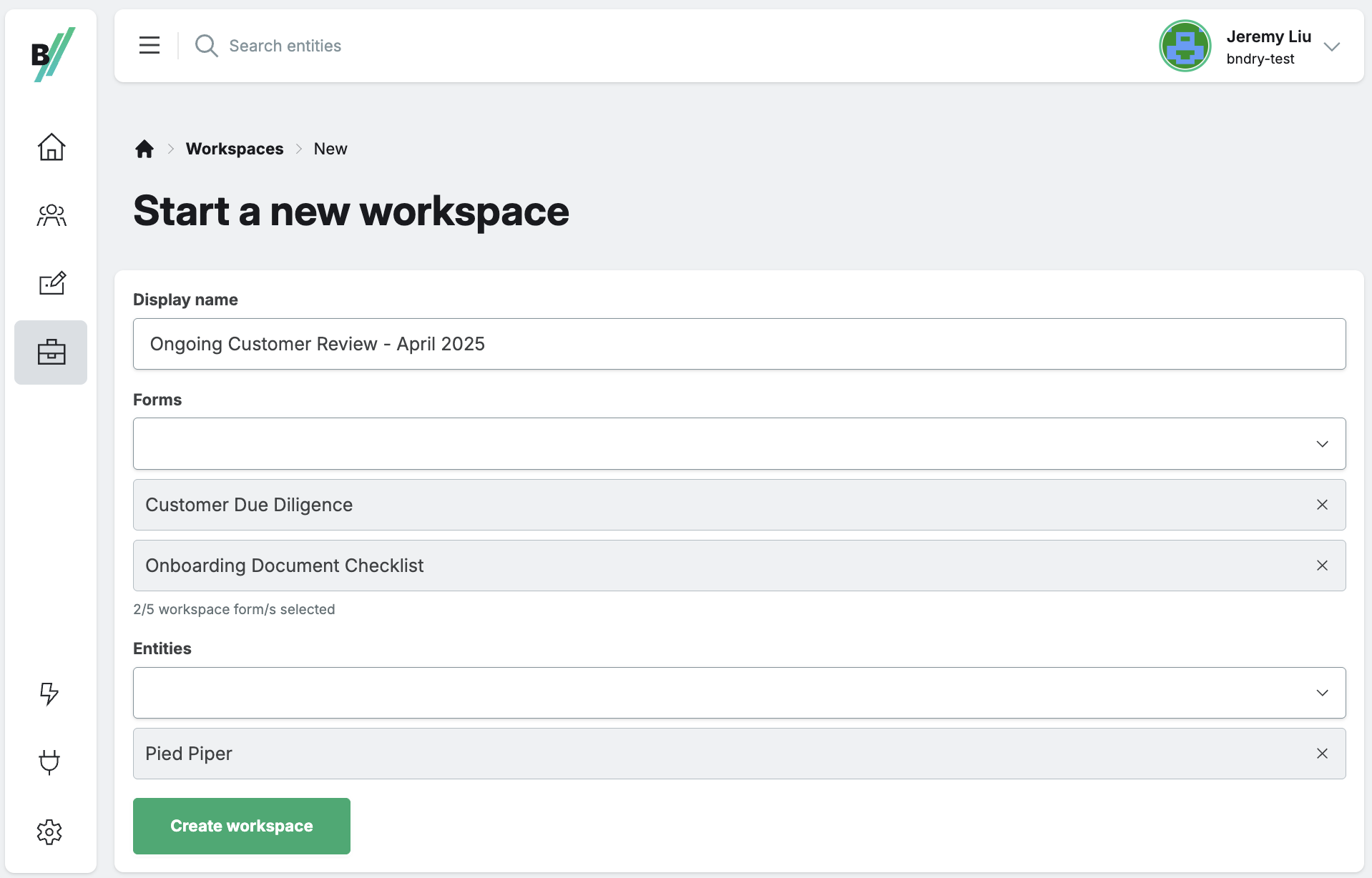
After selecting a Workspace, you can name the Workspace, add additional Forms if required, and associate one or more entities to the Workspace.
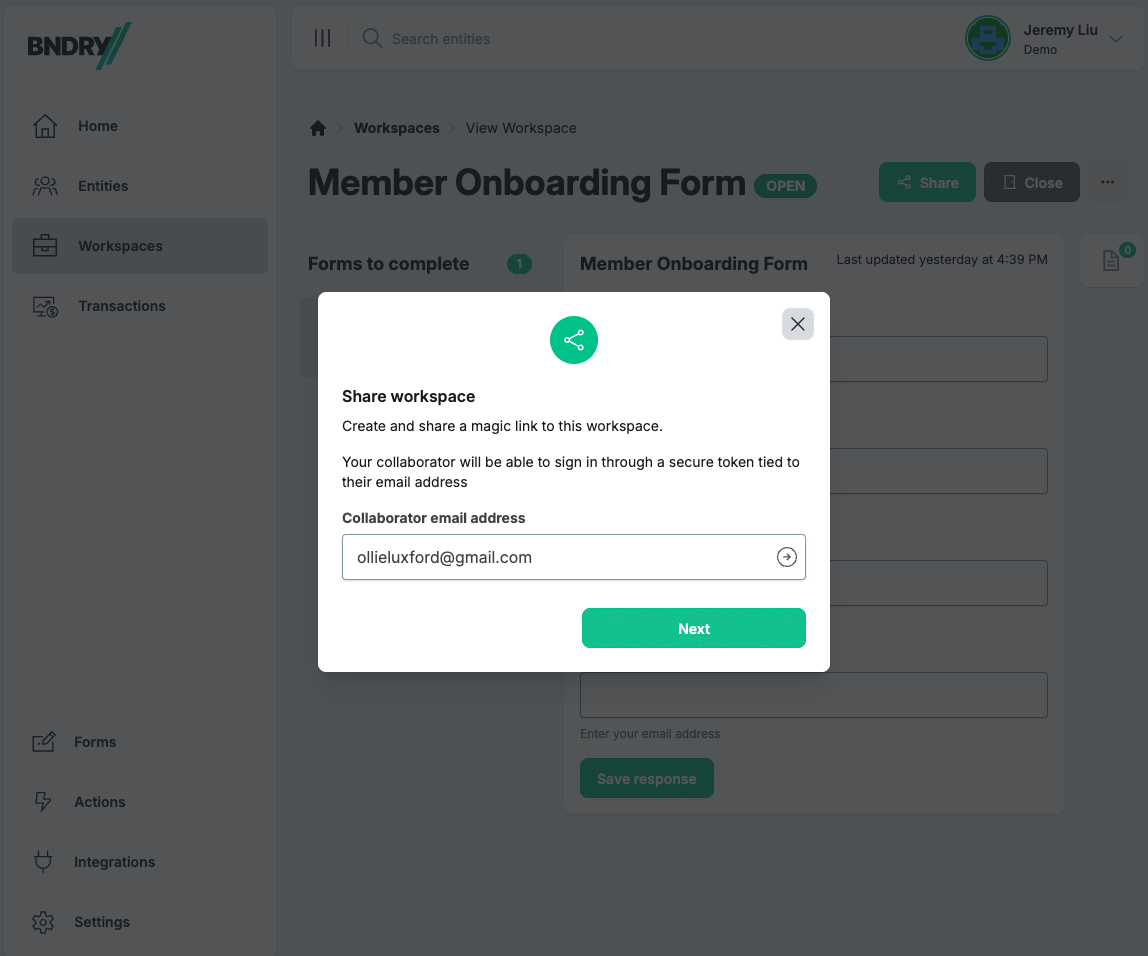
Sharing a Workspace allows you to invite other users to add, edit, and review data. You can invite as many collaborators to the Workspace as you need. A Workspace audit trail will reflect any updates that these users have made to the Workspace.
A unique 'magic link' is generated for invited collaborators which you can share to provide them with access to the Workspace. Once the link expires, you can generate a new link if the external user still requires access to the Workspace.